Jira Cloud + Just Flow It
From a Jira work item to a process your team can review.
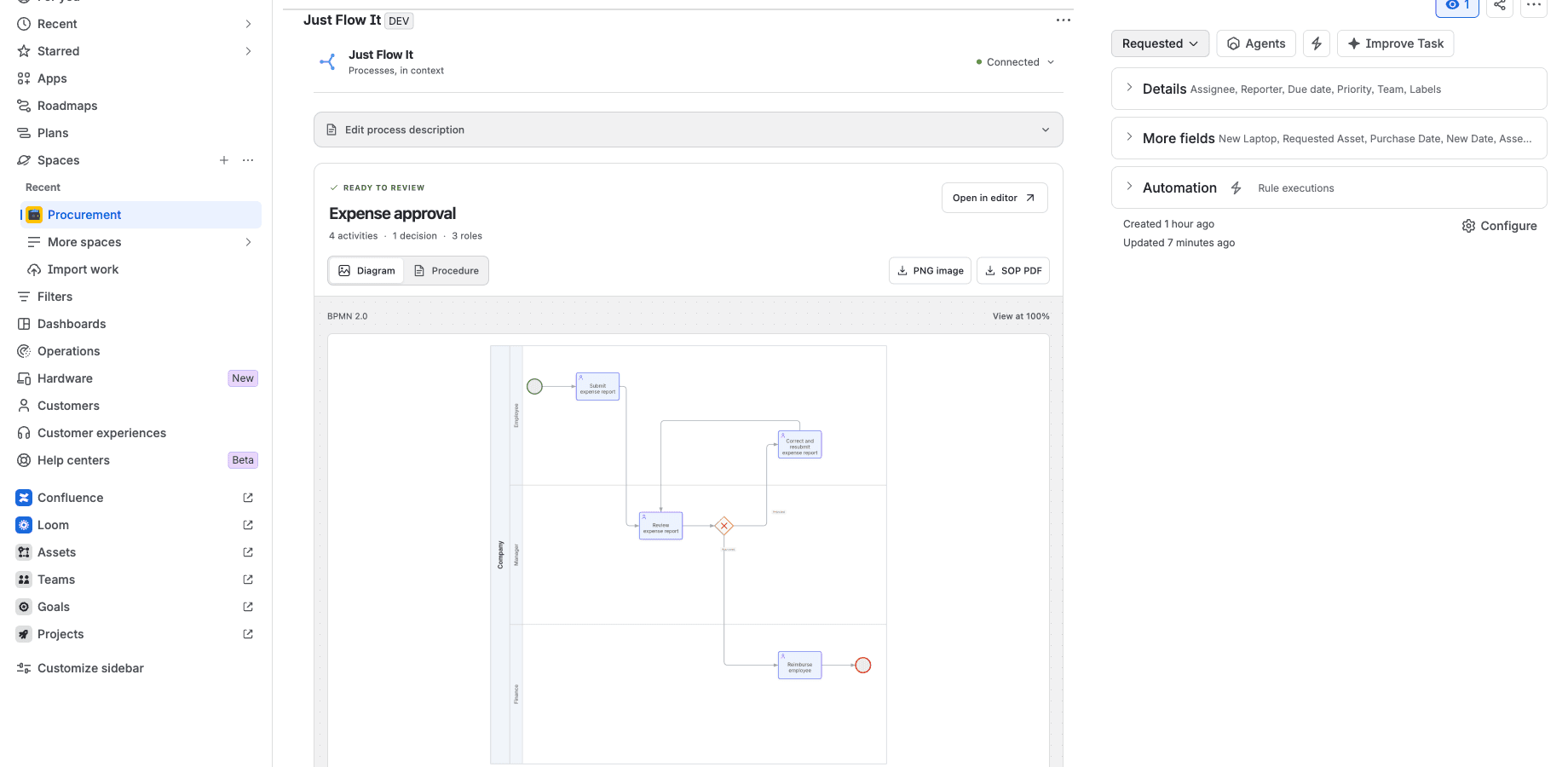
Generate BPMN from the work item description. Download the image and SOP PDF, or continue in the Just Flow It editor.
Jira Cloud, an administrator-installed app and a paid JFI plan with API access. The app license and JFI subscription are separate. Check the listing terms before subscribing.
See the result
One description. A BPMN diagram. An SOP to review.
A demonstration expense approval process with an employee, manager, finance team and a correction loop. The sample process is in English. You can describe your own in your language.
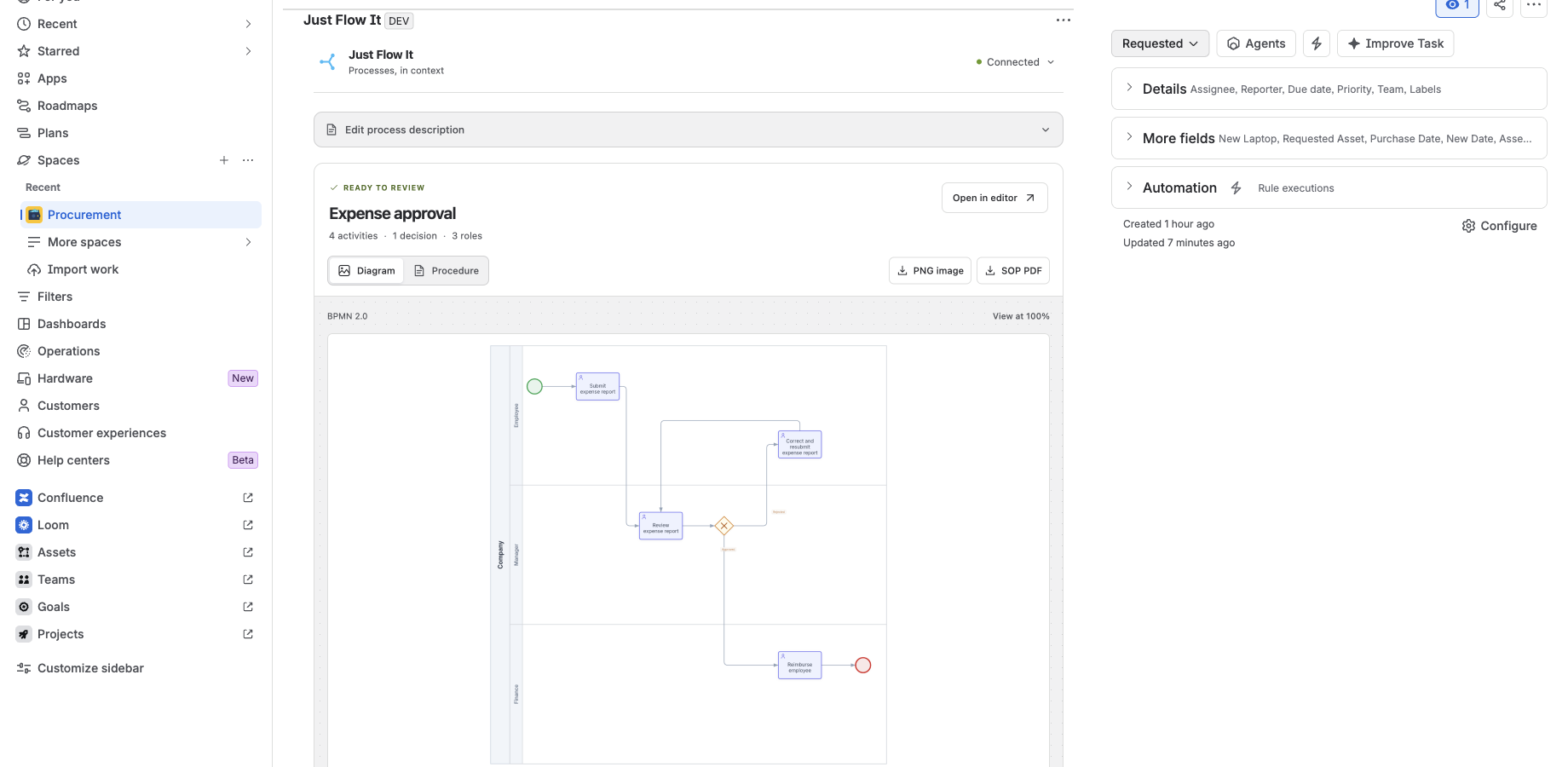
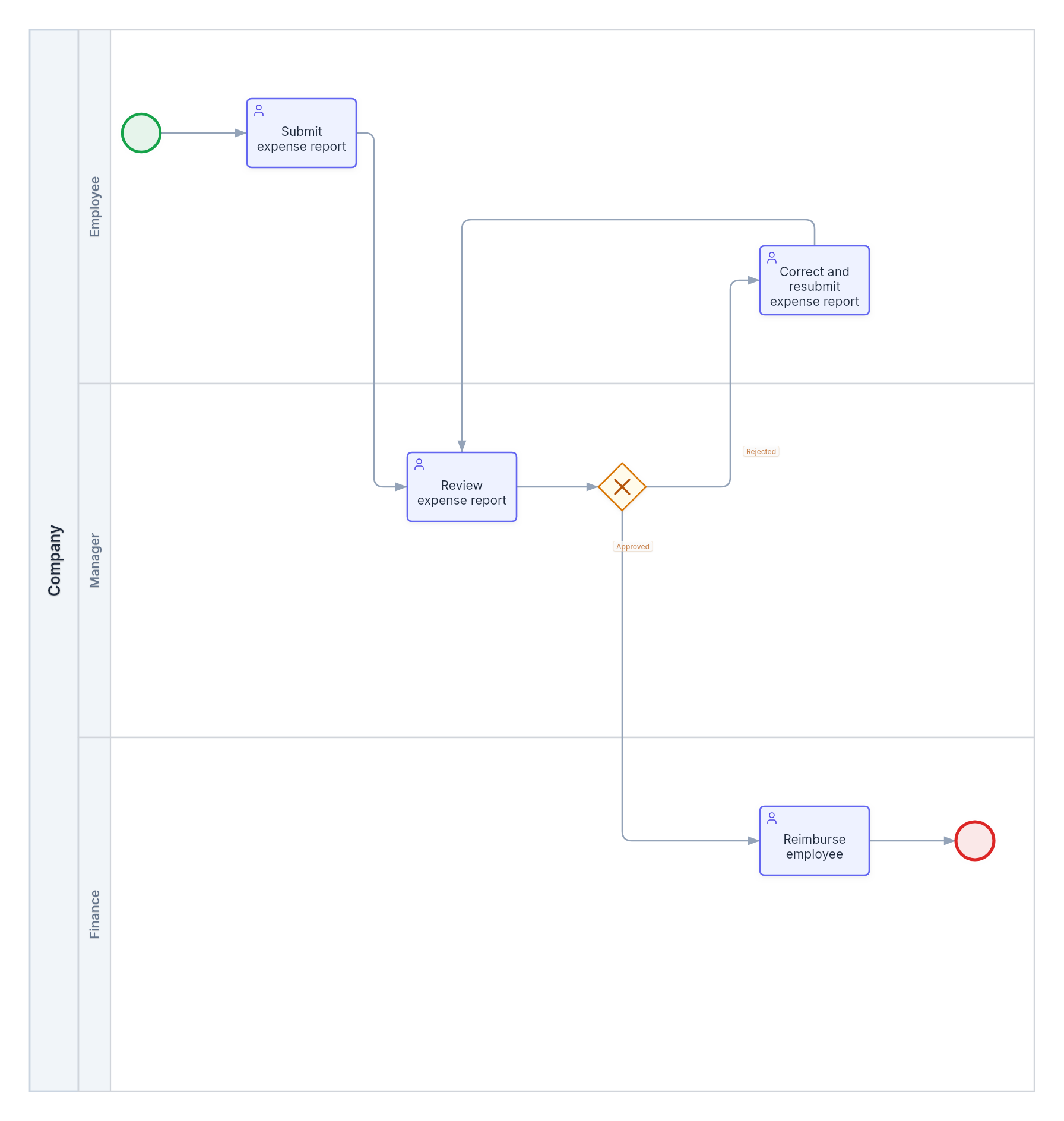
Review the process before approval. The SOP is derived from BPMN and marks information missing from the model.
Start here
Your first process, step by step.
Jira Cloud, an administrator-installed app and a paid JFI plan with API access. The app license and JFI subscription are separate. Check the listing terms before subscribing.
- 1
Install on your Jira site
An administrator installs the app through Marketplace. If you do not administer the site, copy the request below and share it through your team's internal channel.
Read the request
I'd like to evaluate Just Flow It for Jira to turn work item descriptions into BPMN and an SOP PDF. The app reads the current work item's title and description and does not change the Jira workflow. Each person connects their JFI account with a dedicated key. Generation requires a paid JFI plan, separate from the app license. Could we review permissions, costs and installation on a test site? Public installation is still being prepared. This request is for evaluation before availability.
- 2
Connect your account once
Create a dedicated JFI key with generate and diagrams:read. Paste it into the Jira panel. Your connection works across work items in this installation.
- 3
Review, generate and use the result
Open a test work item, review its description and choose Generate BPMN. Check the diagram and download the PNG and SOP. There is no repeated generation checkbox.
Read the sample process
An employee submits an expense report. A manager reviews it. If approved, finance reimburses the employee. If rejected, the employee corrects the report and resubmits it to the manager for review.
Connect once. Use it across work items.
Each person uses their own JFI connection. Diagrams belong to the account or organization behind the key. Work item access does not automatically share JFI content.
Before installation
Does it work with Jira Data Center?
This integration is prepared for Jira Cloud.
Do I authorize each diagram?
Connect your account once per installation. For each generation, review the text and choose to send it. The app does not repeat the checkbox.
Is the SOP just an image inside a PDF?
The PDF includes activities, responsibilities, decision paths and the flowchart. Section labels support all six JFI languages; process content retains its language.
Does it automate my Jira workflow?
The app generates and documents a process. It does not change the work item or execute its transitions.
Does the free editor provide integration access?
Generation from Jira requires a paid JFI plan with API access. The app license is separate.